How I create my digital photomontages
Digital photomontage feels like a coming together of everything I love.
Photography. Colour. Texture. Pattern. Landscapes. Surfaces. Problem solving. Making things that didn’t exist before.
Although I have focused on digital photomontage for the last 17 years, I can now see that my journey towards this way of working began many years earlier.
It started with a camera.
It started with photography
I got my first camera as a teenager. At the time, I wanted to be a photographer and tried to learn as much as I could about taking good photographs.
I mainly photographed people. That changed when I began studying textile design.
Photography became a research tool for my textile work. I started photographing surfaces, patterns and textures to inspire knitted structures. I was also drawn to places and landscapes as starting points for new projects.
For my final degree show, I based my work on the Hebridean island of Iona. I photographed the landscape and used those images to explore ideas for colour, texture and structure in my knitted textiles.
This way of collecting and combining images became an important part of how I worked.
From mood boards to photomontage
As textile designers, we were encouraged to create mood boards for every project.
A mood board was a collection of inspirational images brought together around a theme and colour palette. Images that might not naturally belong together could suddenly make sense when placed alongside each other. I loved that process. You could bring together the past and the future, nature and architecture, pattern and landscape. The individual images became something different when they were combined.
Looking back, I think this was my first experience of thinking in the way I now approach digital photomontage.
Discovering Photoshop
I first came across Adobe Photoshop during the final year of my textile design degree in the early 1990s.
My dad was a graphic designer. He had begun moving from an analogue approach to design towards computers, which were still a relatively new and unknown tool at the time. He invested in a suite of Adobe programs, including Photoshop.
He didn’t actually use Photoshop, but I decided to have a go. I was fascinated by the possibilities. I could do silly things like put someone’s head on another person’s body and create an image that had never existed. I started using Photoshop to make mood boards, mostly by figuring it out as I went along.
Photoshop was very different then. There were no layers. Everything happened within one flat digital file, rather like working on a single piece of paper. If you made a mistake, you had to undo it before moving on. Otherwise, your change became permanent.
Things have changed considerably since then. Today, Photoshop allows me to work with dozens of separate layers within one image. Each layer can contain different imagery and can be edited, moved or changed without affecting the others. It is an incredibly powerful for creating digital photomontage.
I think of it as the digital equivalent of cutting up pieces of paper and arranging them on top of each other. Except that the pieces can be photographs. And they can be moved, transformed, layered and edited until the image begins to make sense.
My first digital photomontage
I eventually gave up textile design when I became pregnant with my first child. I was looking for other ways to continue being creative.
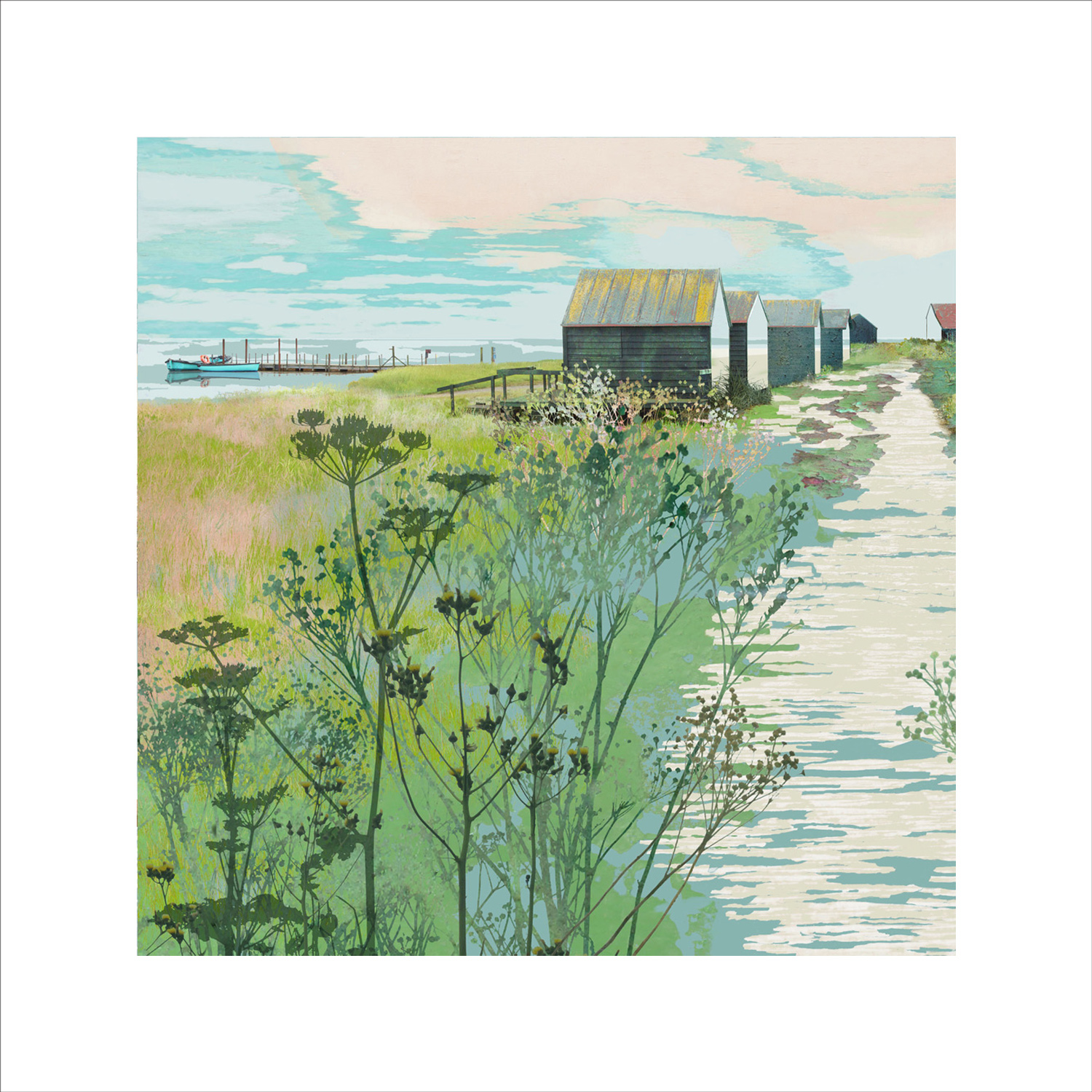
When I decided that I wanted to become a painter, creating ideas from my own photographs on the computer seemed like a natural place to start. We had been on holiday to Norfolk and I began experimenting with photographs from the trip. I started cutting things out and rearranging them. I remember it being a big step to realise that a landscape could be made from different photographic elements rather than being photographed as a single scene.
My first digital photomontage contained just five separate layers. Today, I might use anything between 30 and 100 layers to create an image. I loved those first pictures. Something about the way the separate pieces fitted together made complete sense to me. It felt a little like solving a puzzle. But there was more to it than that. The process was meditative. It involved problem solving and allowed me to bring together my love of photography, places, textures, colour and surfaces.
I felt compelled to make more.
Photographing for photomontage
Over time, I discovered that there is an important difference between taking a good photograph and taking a photograph for photomontage.
They are not always the same thing. When I am taking photographs for their own sake, I might look for beautiful light, blur, bokeh or a striking composition. When I am gathering images for a photomontage, my priorities are different. I often look for details, shapes and surfaces that might become part of another image.
The photograph itself doesn’t necessarily need to be interesting.
A piece of grass.
A cloud.
A wall.
A doorway.
A shadow.
A patch of peeling paint.
These fragments might seem unremarkable on their own. Once I combine them with other elements, however, they can begin to tell a completely different story. I usually look for images that are relatively evenly lit and in focus. That makes them easier to cut out and gives me more flexibility when I begin building the final image. So my camera has become something of a second eye.
I am not photographing a finished composition. I am collecting possibilities.
How a digital photomontage begins
I never know exactly what I am going to create when I start. That is one of the things I love most about the process. My work is intuitive. The more I try to control it, the more it seems to run away from me.
I have many different starting points, some of which I write about in my blog. But generally, my images begin with photographs I have taken myself.
As I look through them, I start to notice things that might work as part of another image. I cut them out and isolate them. Some things are relatively easy to remove using Photoshop’s tools. Others take much more time and patience. This is where digital tools become particularly useful.
With scissors and paper, you could never cut out a cloud and retain its transparency and soft edges. In Photoshop, I can isolate those delicate details and use them in a completely different landscape.
Once I have a collection of elements, I begin to experiment. I move them around. I change their scale. I layer them. I remove them. I put them back. Gradually, something begins to emerge.
Making a landscape that never existed
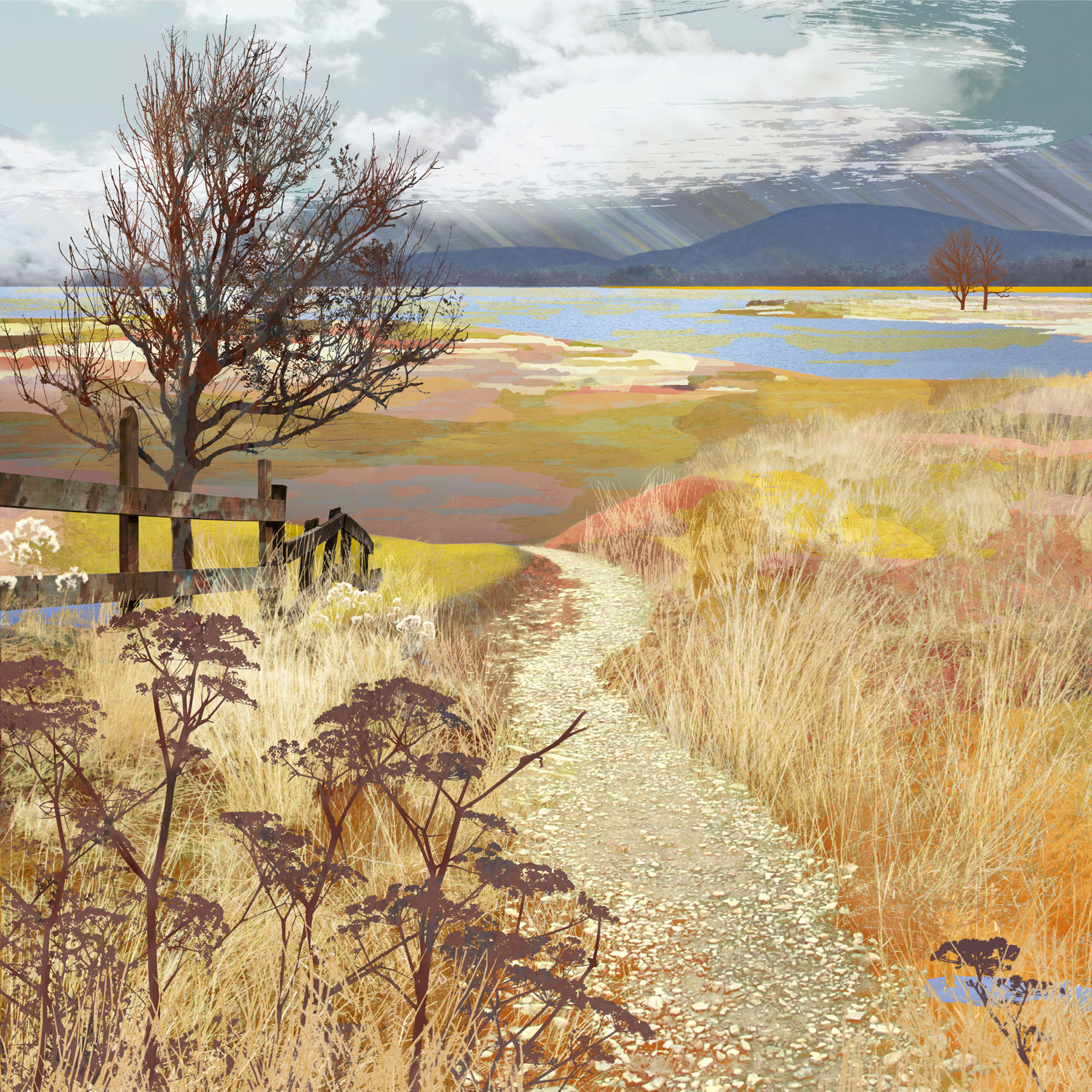
The final image is not intended to document a particular place. Instead, I am trying to create a feeling of place. I want the finished landscape to feel familiar, but not quite recognisable. It might remind you of somewhere you have been, while also feeling slightly impossible.
That space between reality and imagination is where I want my work to sit.
Digital photomontage gives me the freedom to create landscapes that could never have existed in front of a camera. It allows me to take fragments from the real world and rearrange them into something new. For me, that is the real magic of the process. I start with photographs of the world around me. I finish somewhere that exists only in my imagination.